Problem
Blind users need timely, trustworthy, and understandable feedback while moving through daily life. The challenge was to design an experience where spectacles, mobile app, and cloud intelligence work together without overwhelming the user.
ACCESSIBILITY UX · BRANE · VFVI
A user-centered accessibility case study for VFVI, where I led research and outcome mapping for smart spectacles connected with a mobile app and cloud processing to help blind users understand text, objects, obstacles, and navigation guidance in real time.
Blind users need timely, trustworthy, and understandable feedback while moving through daily life. The challenge was to design an experience where spectacles, mobile app, and cloud intelligence work together without overwhelming the user.
The product experience brought together hardware, software, AI processing, accessibility research, and response design. I used outcome mapping and Lean Product thinking to connect user needs with validated, high-impact solution directions.
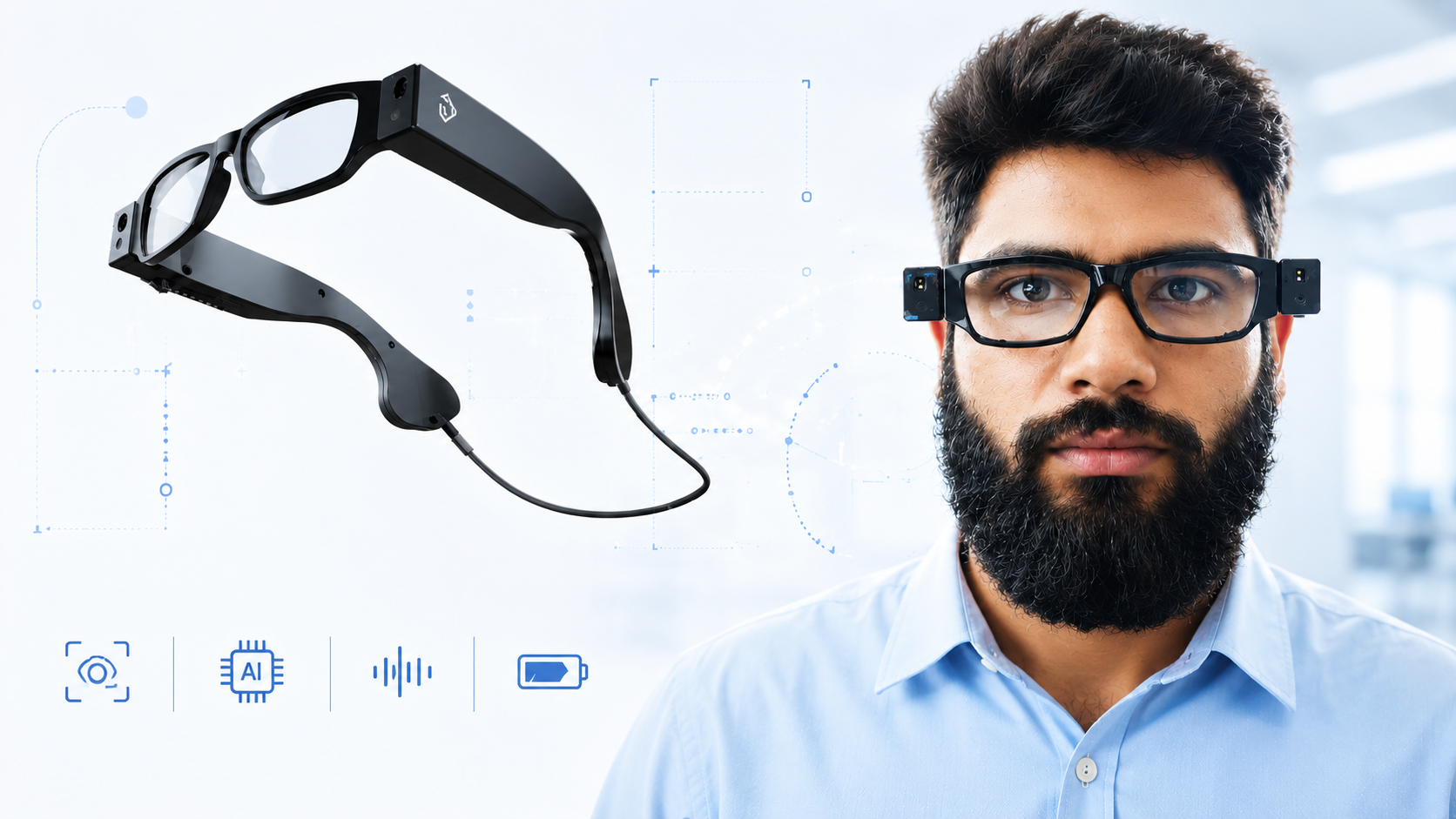
Connecting smart spectacles, mobile app, cloud intelligence, voice feedback, object awareness, and navigation guidance into a trustworthy assistive experience.
The experience depended on continuous communication between wearable hardware, mobile software, cloud processing, and user feedback.
The spectacles continuously capture visual feed from the user's environment.
The feed is sent to the connected mobile app for handling and communication.
The mobile app sends data to the cloud for text, object, obstacle, and navigation processing.
The system responds with clear guidance, alerts, and next actions the user can understand quickly.
The most important part of this project was understanding the real users. I led the research and outcome-mapping activities, including multiple interviews and focus-group conversations with blind users to learn how they adopt technology, how they use assistive tools in day-to-day life, and what kind of feedback builds or breaks trust.
A lean product framework helped us build the right product by learning early, validating real user needs, and improving the solution through feedback instead of assumptions.
It is an iterative cycle that moves from understanding the problem to delivering value with less waste.
Identify real user problems and needs.
Frame the right problem to solve.
Generate and prioritize possible solutions.
Test assumptions with users early.
Measure impact and keep improving.
We spoke with blind users, caregivers, and experts to understand everyday challenges and needs.
We framed the core problem: how might we help blind users move more safely and independently in daily life?
We explored ideas around navigation, real-time feedback, object awareness, and user confidence.
We tested assumptions through conversations, prototypes, and feedback on what works and what does not.
We focused on high-impact features first, then used feedback and analytics to improve responses.
Keeps real user needs at the center of every decision.
Helps avoid building the wrong things.
Uses time and energy where it creates the most value.
Tracks outcomes and improves through iteration.
This framework helped us stay close to the real problem and build solutions that could make daily movement safer and more confident for blind users.
The product was structured around assistive modules that solve practical daily-life needs.
Help users understand printed or visible text captured through the spectacles.
Recognize useful objects in the environment and communicate them in a helpful way.
Alert users to obstacles and environmental blockers with timely, meaningful feedback.
Communicate direction, distance, number of steps, and immediate movement feedback in real time.
For VFVI, prototyping was not only about showing screens. The experience depended on voice-based input, voice-based output, real-time feedback, and system responses. I used advanced prototyping with ProtoPie to test these interactions before development.
Testing and iterating before development helped reduce development effort and improve the team's understanding of product requirements. It allowed us to identify unclear flows, response gaps, and interaction risks earlier, when changes were still faster and cheaper to make.
The prototype helped stakeholders and developers experience how the product should listen, respond, guide, and recover, instead of only reviewing static screens or clickable flows.
For blind users, the response is the interface. We had to think carefully about what the system says, when it says it, and how much information is useful in the moment.
The navigation module could not behave like a static map. It needed to guide users continuously with steps, direction, obstacle awareness, and clear next actions.
We used advanced prototyping with ProtoPie to test voice-based inputs and outputs from the prototype. This helped us evaluate how the product should listen, respond, guide, and recover, instead of only validating clickable screen flows.
Because hardware, mobile connection, and cloud processing work together, failures can happen at many points. We designed response messages to help users understand what happened and what to do next.
User analytics helped reveal where systems were failing, where responses were unclear, and where the experience needed improvement.
The work moved between research, system thinking, module design, feedback behavior, and iteration through user understanding.
Led interviews and focus groups with blind users to understand technology adoption and daily-life patterns.
Mapped user needs into outcomes, risks, system behavior, response requirements, and solution opportunities.
Used Lean Product thinking and ProtoPie prototypes to validate priorities, voice responses, guidance, alerts, and recovery messages.
This project gave me deep exposure to accessibility design, assistive technology, research leadership, and outcome mapping. It showed me how different the design mindset becomes when the primary experience is not visual, but communicated through feedback, timing, clarity, and trust.
It also helped me understand the complexity of products where hardware and software continuously work together. The experience had to consider device connection, data flow, cloud processing, response quality, system failures, and user confidence at the same time.
The most enjoyable part was how user-centered the work was. The navigation module especially pushed me to think about real-time communication: how many steps, what direction, when to alert, and how to help the user feel guided rather than controlled.
Accessibility design starts with listening, not assumptions.
Lean Product thinking helps categorize user needs, validate priorities, and focus on solutions with real impact.
For blind users, response timing and clarity are core parts of usability.
Advanced prototypes are valuable when the experience depends on voice input, voice output, and real-time feedback.
Hardware and software products need strong feedback and recovery states.
User analytics can improve not only screens, but the quality of system responses.
Next case study
B2B telecom workflows for enterprise SaaS →